
Tennessee Proctor ID
IDEMIA Civil Identity NA LLCAuto & Vehicles
3.3234.00 Reviews
- Version
- 2.5.18
- Installs
- 100.00K
- Age Rating
- Everyone
Screenshots
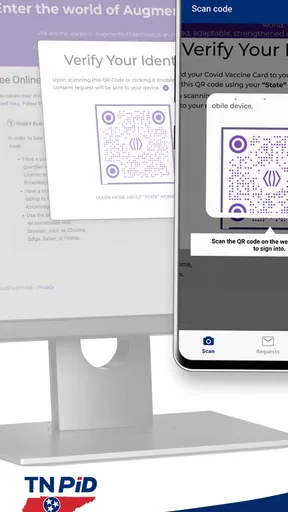
Our Review of Tennessee Proctor ID
 Analysis by Appyee
When I first looked at Tennessee Proctor ID, I understood its purpose quickly: it is a focused identity tool for Tennessee drivers who need a digital way to present their driving credentials. Rather than trying to become a complete travel, wallet, or vehicle-management app, it concentrates on one job. That narrow approach is the most important thing to understand before installing it.
The app belongs to the Auto & Vehicles category and is developed by IDEMIA Civil Identity NA LLC. It is free to install, carries an Everyone age rating, and has passed the one-hundred-thousand-install mark. Its average rating is 3.3 from roughly four hundred ratings, with more than two hundred written reviews. Those figures suggest a practical but uneven experience: enough adoption to show that people have a reason to use it, but also enough mixed feedback to remind me that identity apps are judged by small moments of friction.
What the digital ID capability changes
The central capability is the ability to use a Tennessee Proctor ID instead of relying exclusively on a physical card in situations where the digital credential is accepted. That sounds simple, but its value depends entirely on context. A digital identity app is not automatically a universal replacement for a wallet. Its usefulness comes from having another way to present your driving identity when the participating process recognizes it.
That distinction matters. I would not install this expecting a general-purpose document scanner, a vehicle registration manager, or a complete personal wallet. The app’s strength is being deliberately limited. It gives a Tennessee user a dedicated place to work with this particular digital identity rather than burying the process inside a broad collection of unrelated features.
In everyday terms, the benefit is preparedness. A person may prefer not to take out a physical card every time a supported check occurs, or may want a digital option available alongside the physical credential. The app can make that workflow feel more modern, but it does not remove the need to think about acceptance. The sensible habit is to treat the digital ID as an additional option, not as permission to leave every physical document at home.
The real advantage is convenience at an accepted checkpoint, not universal replacement of a driver license. That is the trade-off I kept coming back to while reviewing it. If your routine includes a setting where Tennessee Proctor ID is recognized, the app has a clear purpose. If you rarely encounter such a setting, it may remain installed without becoming part of your daily routine.
Why a dedicated identity app can be useful
Compared with simply carrying a physical license, a dedicated app gives the digital credential its own workflow. You do not have to search through photographs, messages, or a generic notes application for a picture of a card. That is important because a photograph is not the same thing as an official digital identity experience. A saved image can be outdated, difficult to inspect, or unsuitable for a formal check.
Compared with a broad mobile wallet, the focused design can also be easier to understand. A general wallet may be excellent for payment cards and passes, but a state-specific identity credential has a different purpose. Keeping those roles separate can reduce confusion, especially when you need to distinguish a payment card, an event pass, and a driving identity quickly.
There is also a subtle psychological benefit: the app encourages you to prepare before you need the credential. That is more valuable than opening it for the first time in a queue. Identity workflows tend to be less forgiving than ordinary apps, so a few minutes spent becoming familiar with the process can prevent an awkward pause later.
How I would use it in practice
My first recommendation is to set it up when you are calm, connected, and not standing in front of someone waiting for identification. Install the current version, which is 2.5.18, on a device running Android 6.0 or later, then complete the app’s identity setup in advance. I would also check that the phone has enough battery and that the screen is easy to read before relying on it outside the home.
The exact experience of a digital identity check can depend on the surrounding organization and its equipment, so I would avoid assuming that every place handles the credential in the same way. Some situations may involve showing information on the phone, while others may use a specific verification process. The practical lesson is to follow the instructions presented at the point of use instead of improvising with screenshots or unrelated copies of your license.
One useful habit is to open the app before approaching the checkpoint. This lets me confirm that I am signed in or ready, that the credential is visible, and that the phone is not buried under a low-power warning or a software update prompt. It also gives me a chance to notice whether the display is too dim, the device is offline, or the app needs attention before the interaction becomes time-sensitive.
I would keep the physical license available during the early part of using the app. That is not a criticism of Tennessee Proctor ID; it is sensible backup planning. Digital credentials depend on a working phone and a compatible verification situation. A cracked screen, dead battery, locked account, or unsupported location can turn a convenient plan into a delay. The safest workflow is to gain confidence gradually rather than treating the app as an immediate substitute for every other option.
A realistic everyday scenario
Imagine a Tennessee driver leaving home for a day that includes a supported identity check. The physical license is in a wallet, but the driver wants the digital credential ready as well. Before leaving, they open the app, confirm that the credential is available, increase the phone’s readability if needed, and make sure the battery is not nearly empty. At the checkpoint, they present the digital ID according to the instructions instead of searching for a photograph or handing over unrelated personal information.
In that scenario, the app’s value is not dramatic. It saves preparation time and offers a second presentation method. That is exactly why I think the product should be judged by reliability and clarity rather than by the number of extra functions it offers. A focused identity app succeeds when it makes a specific interaction less awkward.
A second scenario is less obvious but just as important: sharing a household phone is not the same as sharing a household identity. I would be careful not to assume that another person can simply use the app because they are holding the device. The digital credential belongs to the identity setup behind it, so each person should understand whose credential is configured and avoid presenting someone else’s information by mistake.
Small workflow choices that make a difference
First, I would avoid relying on a screenshot. Even if an image looks similar to what appears in the app, it may not provide the expected interactive or current presentation. Opening the actual application keeps the workflow closer to its intended use and reduces the chance of displaying something stale.
Second, I would avoid testing the app for the first time during a high-pressure interaction. Identity checks are not a good place to discover that a password has been forgotten or that the phone is using an unfamiliar account. A short practice run at home can reveal whether the interface is intuitive enough for you and whether you need a backup plan.
Third, I would separate “the app opens” from “the app will be accepted here.” Those are different questions. A successful launch confirms only that the software is available on the phone. Acceptance belongs to the particular checkpoint and its current process. This is the most important non-obvious limitation because it prevents a common mistake: confusing technical availability with official usability everywhere.
The best setting for Tennessee Proctor ID
The app makes the most sense for Tennessee residents who regularly encounter a supported digital identity workflow and prefer having an electronic credential ready. It is especially appealing to people who already organize important tasks through their phones and who are comfortable checking a digital credential before leaving home.
It can also suit someone who dislikes repeatedly removing a physical card from a wallet, provided the relevant place accepts the digital method. The convenience is modest but real: the phone is already in hand, and the identity credential has a dedicated home rather than being mixed with payment cards or images.
I see less value for a person who only needs identification occasionally and is perfectly happy carrying a physical license. In that case, installing another app may add maintenance without solving a meaningful problem. The same is true for anyone who frequently has a nearly empty battery, uses an older unsupported device, or does not want identity-related tasks tied to a smartphone.
Travel also deserves careful thought. A Tennessee digital credential should not be treated as a guarantee that every destination, business, or agency will accept it. If the day includes several unrelated checks, carrying the physical credential remains the more conservative choice. The app is best as a supplement when the user understands where it fits, not as a blanket answer to every identification request.
Where the experience can feel less convenient
The first source of friction is dependence on the phone itself. A physical card does not need charging, an unlocked screen, or a functioning application. Tennessee Proctor ID inherits the ordinary weaknesses of mobile devices, so the user has to manage battery, access, and screen visibility. That may sound minor until the credential is needed at exactly the wrong moment.
The second issue is expectation management. The name and purpose are clear, but a focused identity app can seem disappointing to someone looking for a wider collection of vehicle services. I would not choose it as a replacement for a state services portal, a maintenance tracker, an insurance app, or a navigation tool. Its narrow scope is intentional, and that makes comparison with those alternatives unfair.
The third issue is acceptance uncertainty in everyday planning. Even when digital identification is becoming more familiar, the person checking it may follow a particular procedure. A user who expects a quick “show the screen” moment could be surprised by additional instructions. That is why I prefer to prepare before arriving and keep a physical backup when the consequence of delay is serious.
The 3.3 average rating reflects a middle-ground public response rather than universal enthusiasm. I read that as a reason to evaluate the app based on your own use case, not as an automatic rejection. Identity tools can receive criticism for setup, compatibility, or acceptance conditions that are not equally important to every user. Still, the rating supports my broader conclusion: this is useful when it fits your routine, but it is not an essential download for everyone.
Privacy expectations are another reason to be deliberate. An identity application deserves more care than a casual game or wallpaper tool. I would install it only on a phone I control, use a secure device lock, and avoid handing the unlocked phone to strangers. Those are practical precautions rather than claims about a particular policy, and they help reduce accidental exposure of personal information during any digital identity interaction.
When another option is better
If your priority is universal recognition, the physical Tennessee license remains the safer companion because it does not depend on a particular digital process. If your priority is managing several unrelated documents, a broader official service may be more suitable, assuming it supports the exact credential you need. If your priority is payment, passes, or travel tickets, a conventional mobile wallet may be more convenient for those tasks, but it should not be confused with this state-specific identity function.
I would also skip the app if your phone cannot run it. The minimum operating-system requirement is Android 6.0, so users of older Android devices should not plan around it. For people with compatible phones, the free price removes the financial barrier, but free does not mean frictionless: the real question is whether the digital credential will be useful in the places you visit.
Who gains the most from it?
The strongest audience is a Tennessee driver who wants a dedicated digital identity option, understands that acceptance depends on the situation, and is willing to prepare before needing it. That person gains convenience without expecting the app to replace every document or service.
It is also a reasonable choice for users who already keep their phones charged, protected, and accessible. They are more likely to benefit from having the credential ready than someone who treats a phone as an occasional emergency device. The app rewards a little organization: checking it early, knowing the backup plan, and presenting the actual credential rather than a screenshot.
Families and workplaces should be especially careful about identity ownership. The app is not something I would casually configure on a shared device without checking whose credential is active. A few seconds of confusion can create an embarrassing or serious mix-up, so each user should understand the account and identity represented on the screen.
On the other hand, a person who wants a single app for all vehicle responsibilities will probably find the scope too narrow. The category label may suggest a broad automotive toolkit, but the practical experience is centered on Tennessee Proctor ID. That focus is a benefit for the right user and a limitation for anyone expecting registration reminders, fuel tracking, roadside assistance, or driving analytics.
My final assessment after using it
I see Tennessee Proctor ID as a specialized convenience rather than a complete replacement for a physical license. Its best quality is focus: it gives Tennessee users a dedicated digital route for presenting their identity in situations where that route is accepted. The free installation and Everyone rating make it easy to consider, while support for Android 6.0 and later covers a wide range of compatible devices.
My recommendation is conditional but positive. Install it if you have a clear reason to use a Tennessee digital identity and are prepared to keep a physical backup. Set it up before you need it, learn the presentation flow, and do not confuse an app that opens successfully with a credential that every location must accept.
For me, that balance is the honest conclusion. Tennessee Proctor ID is worthwhile when its specific digital identity capability matches your routine. It is less compelling as a speculative download for someone who rarely needs digital identification. The 100K-plus installs show that the idea has practical appeal, but the middling 3.3 average also fits my experience: the app can remove friction in the right moment, yet the surrounding conditions still determine whether that convenience is genuinely available.
Verdict
Strengths of Tennessee Proctor ID
- Official state-issued ID can simplify identity verification in Tennessee.
- Designed for quick presentation during eligible checks and transactions.
- Reduces the need to carry a physical identification card.
- May help protect personal details compared with handing over a full ID.
- Useful for residents who already use digital government services.
Limitations of Tennessee Proctor ID
- Acceptance may vary by business, agency, or law-enforcement situation.
- A compatible smartphone is required to access the digital ID.
- Phone battery, damage, or connectivity issues can limit availability.
- Initial setup may require identity checks and access to your physical ID.
- It may not replace a passport or other documents for every purpose.
Similar Picks in This Category
View All
Android Auto
Google LLC4.1

maxim — order a taxi & food
PT. SITO4.7

Штрафы ГИБДД: проверка с фото
Pays LLC – Штрафы ГИБДД4.7

Номерограм – проверка авто
Авто Ассист4.8

Дром Авто
Дром4.9

Frequently Asked Questions
What is Tennessee Proctor ID used for?
Tennessee Proctor ID is designed to help verify a person’s identity when completing certain Tennessee-related exams, assessments, or official procedures that require proctoring. Depending on the organization using it, the app may support identity checks, secure session monitoring, or access to a supervised testing process. Its exact purpose can vary, so users should confirm the requirements provided by their school, employer, licensing authority, or testing provider before downloading it.
What permissions and personal information does Tennessee Proctor ID require?
Because identity and proctoring applications need to confirm who is using the device, Tennessee Proctor ID may request access to information such as your name, identification details, camera, microphone, and possibly device or session data. These permissions can be necessary for identity verification and exam security. Before accepting them, review the app’s privacy policy and the instructions from the organization that asked you to use the application.
Is Tennessee Proctor ID compatible with my Android or iPhone?
Compatibility depends on the operating system version, device model, and the specific release of Tennessee Proctor ID available in the official app store. Before installing, check the app listing for minimum Android or iOS requirements and make sure your device has enough storage, a working camera, and a stable internet connection. Older phones, modified operating systems, or restricted work devices may not support every verification feature.
What should I do before using Tennessee Proctor ID for an exam or verification session?
Prepare your device in advance rather than waiting until the scheduled session. Install the official version, update your operating system if required, allow the necessary permissions, and test your camera, microphone, lighting, and internet connection. Keep the requested identification document nearby and close other apps that could interfere. It is also wise to complete any practice check offered by the testing organization and follow its room or environment rules.
Is Tennessee Proctor ID safe to download and use?
The safest approach is to download Tennessee Proctor ID only from an official Google Play or Apple App Store listing, or through a link supplied by the authorized testing organization. Avoid unofficial APK files and websites that request unusual payments or excessive permissions. Since the app may handle sensitive identity information, read the developer details, privacy disclosures, and data practices carefully, and contact the organization directly if the app or download link seems suspicious.
